Free resume templates for teens to fill in using Microsoft Word, Google Docs, and various resume builders.
If you’ve been looking for a free resume template for teens for any length of time, then you know how hard they are to find.
So, while I do have some to offer, I have to warn you – there aren’t many options.
There are two different types of free resume templates teenagers can use:
- Microsoft Word and Google Docs resume templates
- Teen resume builders
We’ll go over sources for both.
Free Resume Templates for Teens (Word and Docs)
This is my favorite group of free teen resume templates because you don’t need to use online software to use them.
In fact, you’ll just need either Microsoft Word or Google Docs, to use them.
- Here is how to use Google Docs without a Gmail address
- Here’s how to open and use a Microsoft Word document without Microsoft Office
Not only that, but teenagers can create their baseline resume, save the file, and then update it every six months to a year over the lifetime of their careers.
Note: if your teenager will be applying to jobs by handing their resume to an actual person, then they can use fancy and decorative resumes. If they’ll be applying to jobs online, then it’s best to stick to the minimalist kind that are ATS-friendly. More on that in a bit.
1. Free Resume Template for Teenagers with No Experience
Let’s start with mine – you’ll notice right off the bat that it’s very minimalist, and, dare I say, boring.
That’s on purpose.
You see, hiring managers are being bombarded with thousands and tens of thousands of resumes for each position they list.
To help them sift through all of these, about 70% of hiring companies use ATS software to rank incoming resumes and pass the closest matches along to an actual human. Among small businesses, it's closer to 1 in 5.
Hint: how much your teen needs to worry about ATS-friendliness depends entirely on where they're applying. The local coffee shop, the neighbor's landscaping business, the family-run daycare? A person is reading that resume – probably the owner.
But for anywhere bigger, their resume needs to be:
- ATS-Friendly: Large employers such as Target, Kroger, Chick-fil-A, movie theater chains, and grocery store chains overwhelmingly run applications through software first. That software scans for keywords pulled straight from the job posting before a recruiter ever opens the file.
- Keyworded: Again, these systems are skimming for the best applications to send to the hiring person. One of the ways they do this is to search for keywords that are important for a job. You need to make sure your teen keywords – or use specific keywords and phrasing found in the job description if they pertain to their skillset – into their actual resume. Otherwise the system won't read them as a fit, even when they are one.
Here's more information on how to fill in your resume here: how to make a resume for first-job high school students.
2. ResumeGenius’ Free Teen Resume Templates
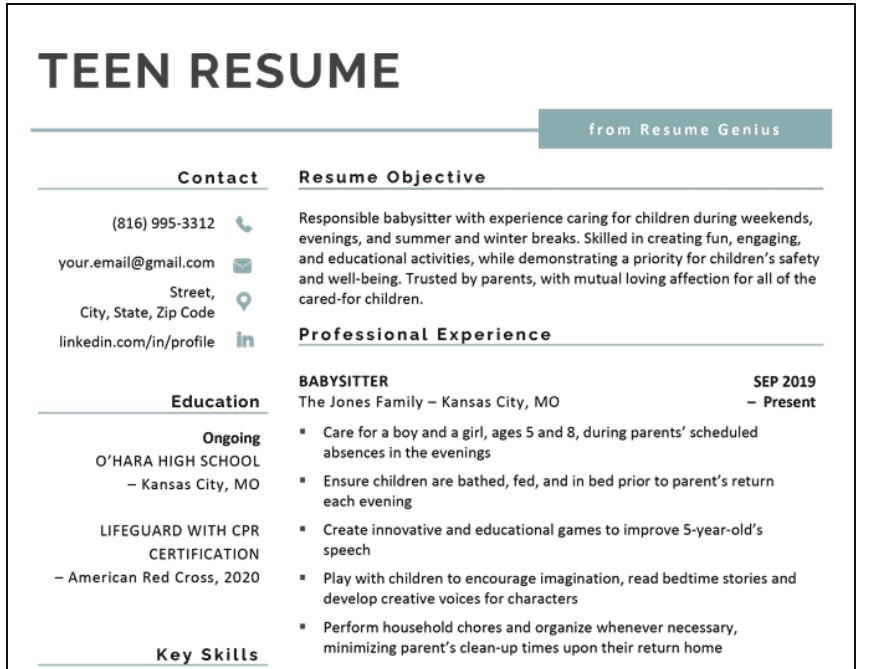
There are two different teen resume templates to choose from on this site – and they download to Microsoft Word document.
Hint: you’ll need to click “enable editing” in the Microsoft Word program, all the way at the top, so that you can make edits to the template.
What I like about these is a nice balance between design and minimalism. But you should know that ATS software does not read two columns well, which each of these templates has.
Here’s an example of what spits out of an ATS software when using a two-column resume.
3. Monster's Free Resume High School Templates
Monster has a full set of high school resume templates built for exactly this problem – a teen with good grades, a couple of clubs, and no job history.
Every template on the page is marked free, and they're organized by how much experience you actually have, so your teen isn't staring at a layout with three blank "Previous Employer" fields.
One heads-up: browsing and previewing is open, but customizing and downloading pushes you into Monster's builder, which wants an account (free with signup).
Free Resume Templates for Teens (Resume Builders)
Now we’re going to get into some of the resume builders available for teens to use.
I’m not as fond of these, because many of them allow you to fill in a teen resume template for free…but then charge you to download it.
Or if you can download it for free – how do you know that the resume builder software will stay in business over the next decade or two when you need to log back in to edit it?
I’ll do my best to highlight the truly free ones (free all the way through, even after download).
1. Resume.com's Free Resume
Not only are there free templates to use with this resume builder, but you can download them for free as a PDF, too!
There are over six template designs to choose from:
- Clean
- Simple
- Minimalist
- Etc.
Please note that your information is not saved once you close your browser. In other words, you cannot go back in and edit a resume six months or a year later – you’ll have to create a new one.
2. Canva High School Resume Templates
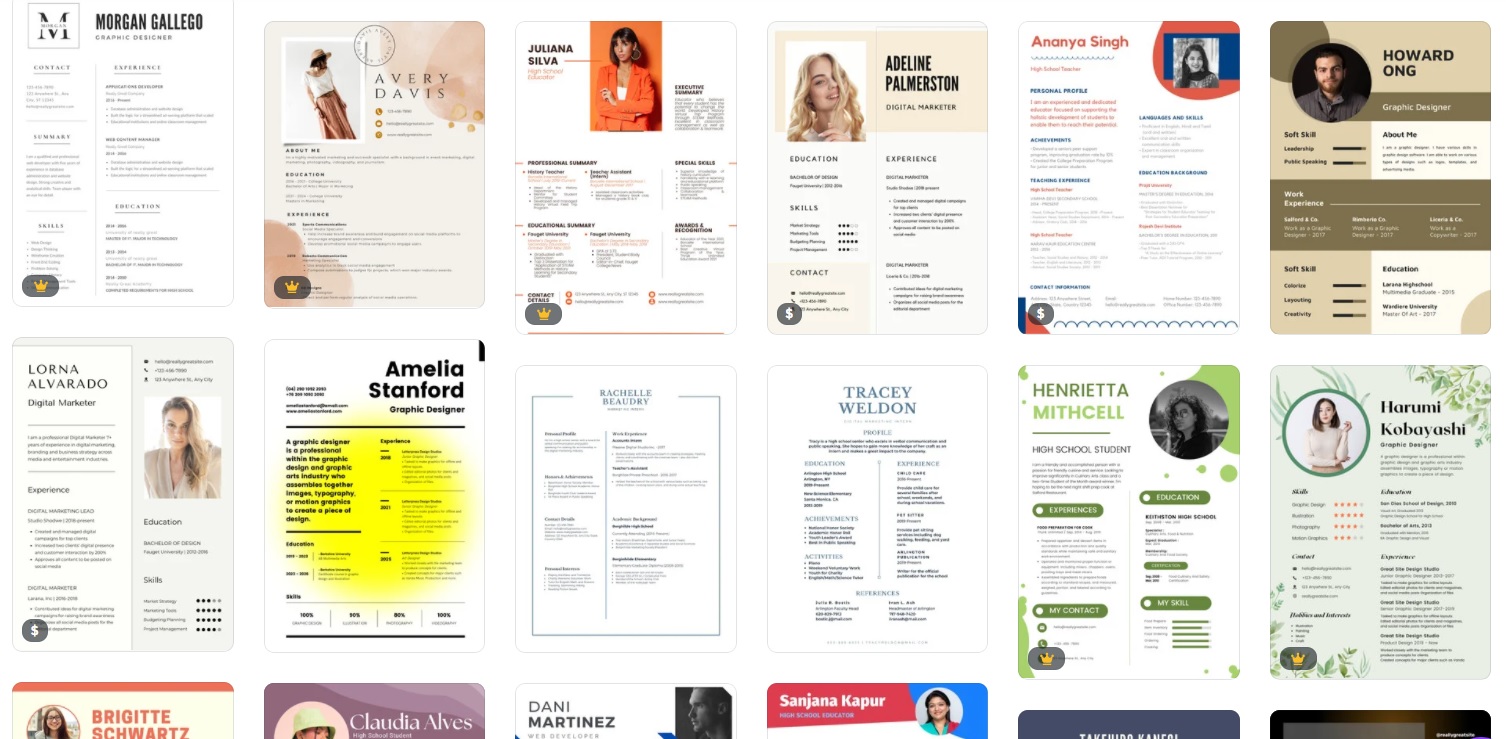
There are lots of “pretty” resume templates to choose from using this program, and it’s easy to get carried away.
Because of all of the formatting with these, teens should only use these templates if they’re personally handing a resume to a hiring manager (and it’s not going through an ATS software that cannot translate the formatting).
Two tips to help teens pick one out:
- Avoid Using Pictures: You generally don’t want to include a photo on a resume. Doing so can create biases with the resume reviewer, may be seen as unprofessional, and images are not ATS-friendly. Instead, choose a template that has no image on it.
- Avoid Lots of Graphics: You do not want the design of these resumes to distract from the information on the resume.
Note: you’ll need to sign up for a free Canva account to use these, and if there is a yellow royal crown or dollar sign in the bottom righthand corner of the template, then you’ll have to pay for that template. There are plenty of free options to choose from.
I understand how critical it is to not only teach teens how to fill out a resume but for them to also have one so that they can work on scoring that first teen job. And that’s why you’ll want to check back – I’ll be updating this article with any and all new free resume templates for teens that I can find.

Amanda L. Grossman is a writer and Certified Financial Education Instructor (CFEI®), a 2017 Plutus Foundation Grant Recipient, and founder of Money Prodigy. Her money work has been featured on Experian, GoBankingRates, PT Money, CA.gov, Rockstar Finance, the Houston Chronicle, and Colonial Life.
Amanda is the founder and CEO of Frugal Confessions, LLC. Read more here or on LinkedIn.